
Getting to a working buildroot system
Nerves can be seen as a “layer” on top of a Buildroot system. Buildroot is a build system that let’s you create a Linux root filesystem from scratch. It can also build the kernel and bootloader for you and packages it all in a nice image you can flash on an SD Card.
In order to have a working Linux device, you need at least three things:
- A bootloader: a piece of code that initializes minimal hardware support to be able to launch a kernel. There can be different levels of bootloaders but let’s stick to this definition for this post
- A kernel: the “code” that is being run first and manages processes, devices initialisation, memory management, …
- A root filesystem: directories and files containing the programs you want to use, the libraries they depend on, some OS initialisation scripts, user management, your custom programs, …
The root filesystem is also refered to as the “userspace”.
On our Kobo, we already have a bootloader and a kernel that we cannot change (because of Secure Boot), so the only thing we need is a root filesystem that the kernel will mount to run its init script.
We also need a way to avoid booting on the Kobo OS and boot our own system instead. And we want to do that as soon as we can.
What happens at boot
Once the kernel kicks in, it mounts the partition that has the rootfs, usually passed as root= in the kernel command line, and will try to run /init or /sbin/init from it. It will run this script as PID1, meaning as the first process.
On our device, the cmdline has root=/dev/mmcblk0p10which means the kernel will mount /dev/mmcblk0p10 as / and run /sbin/init.
We need to replace this /sbin/init by something else, so that it will allow us to “switch” to our alternative root filesystem and execute that system’s /sbin/init instead.
This is actually what happens in a Nerves system. Instead or running the buildroot system’s /sbin/init, Nerves subsitutes it with erlinit, which gets ran as PID1.
Replacing Kobo’s /sbin/init
We need our replacement init script to do several basic things:
- Mount all directories we need to be able to pivot to another system
- Wait for an event to decide if we boot the alternate system
- Mount our alternative system from and image somewhere on the userdata partition
- Pivot to this system and run it’s
/sbin/initas PID1
I’ve written this init script to do exactly that.
Here’s an extract of it, showing the most relevant parts. If a touch is detected on the screen during boot, we first try to mount our image file containing the alternative rootfs, then we use pivot_root to use that system’s root as / and have the old root mounted in .oldroot. We then move all the relevant mounts to the new system, unmount the old root and then execute the alternative rootfs /sbin/init as PID1.
mount -t ext4 -o loop,rw "$img" "$NEWROOT" >/dev/null 2>&1 || :
  mountpoint -q "$NEWROOT" 2>/dev/null || \
    mount -t ext4 -o loop,ro "$img" "$NEWROOT" >/dev/null 2>&1 || return 1

  [ -x "$NEWROOT/sbin/init" ] || return 1

  mkdir -p "$NEWROOT/.oldroot" "$NEWROOT/proc" "$NEWROOT/sys" "$NEWROOT/dev" >/dev/null 2>&1 || return 1
  cd "$NEWROOT" 2>/dev/null || return 1
  pivot_root . .oldroot >/dev/null 2>&1 || return 1

  cd / 2>/dev/null || :
  mount --move /.oldroot/dev /dev 2>/dev/null || :
  mount --move /.oldroot/proc /proc 2>/dev/null || :
  mount --move /.oldroot/sys /sys 2>/dev/null || :
  umount -l /.oldroot 2>/dev/null || :
  exec /sbin/init
Building an alternative rootfs
Now, we just need an image to boot from… You can find the buildroot external tree I used here.
The first step is to get to a system that compiles… And this is not always a walk in the park. Some of the issues along the way were due to the provided toolchain, kernel source, and Mediatek specific quirks.
1. Getting the kernel to compile (in order to have new modules in the rootfs)
The kernel is released as a .tar.zst-part-aa and .tar.zst-part-ab which is not really what buildroot expects. Moreover, inside this archive, there is also the Wifi driver source. So in order for buildroot to be able to use this, some gymnastics is needed in a Makefile extension.
2. Getting the Wifi drivers to compile
Next to that, still in the same makefile extension, I’ve added a LINUX_POST_BUILD_HOOKS += LINUX_BUILD_CONNECTIVITY_CMDS as a kernel post build hook to compile the Wifi drivers. but due to some require path issues, I had to create a patch to the wifi driver makefile…
3. Building an image
Since I’m not going to have much in my image, only the rootfs, I don’t need a partition table, so Buildroot will just generate a blob with an ext4 rootfs in it that I can directly mount as a loop device.
image buildroot-kobo.img {
	hdimage {
		partition-table-type="none"
	}

	partition rootfs {
		image = "rootfs.ext4"
	}
}
Running the image for the first time
I created an init script to start usb networking when my system is initialized, it helps debugging in an easy way without the quirky jumper wires when using UART.
The buildroot image needs to be placed in .buildroot/buildroot-kobo.img on the userdata partition, so I just need to start the Kobo in it’s original OS, make it act as a mass storage device, and simply copy paste my image in the right folder.
I have also created to init scripts to support the E-ink screen that I won’t detail here but after booting (and obviously many trials and errors that wouldn’t fit this article’s narrative), here’s what we have 
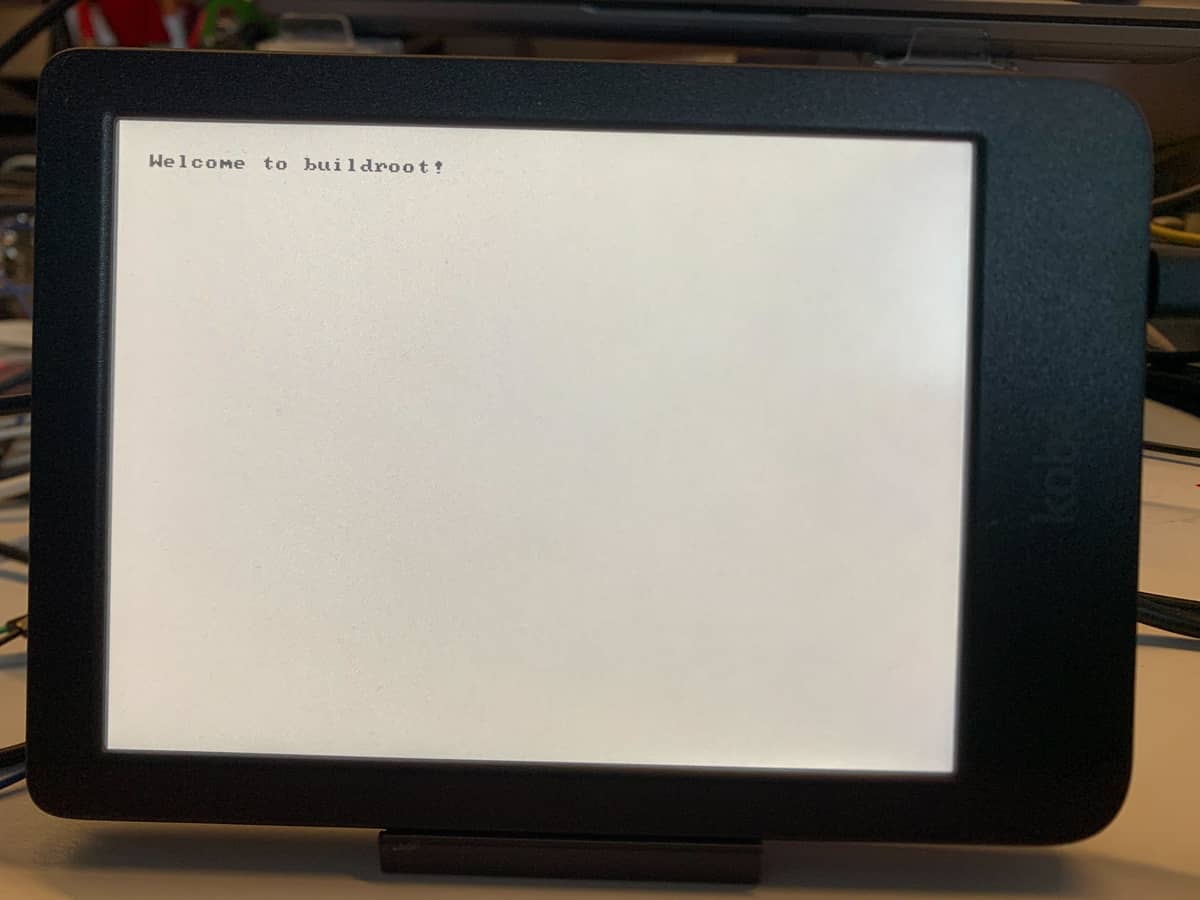
Probably not the most impressive image you’ve ever seen but this is quite a win 
We can connect to it with usb and see that indeed, we are now running buildroot.
# cat /etc/os-release
NAME=Buildroot
VERSION=2025.05.3-1-g85c588cdf9
ID=buildroot
VERSION_ID=2025.05.3
PRETTY_NAME="Buildroot 2025.05.3"
#
Now do Nerves!
The first step to porting Nerves on anything is to first have a working Buildroot system. Now that it’s done, I can move to the next step and try running Nerves on it. I hope I can find workarounds to any future roadblocks ahead of this. But so far so good. I’m running the latest buildroot, on a 4.9 Android kernel full of Mediatek patches so I’m sure I will have to figure some more stuff out.
Will the next picture show a working Nerves system?






















